
Download our ParishStaq Navigation Guide to get started using your personalized ParishStaq Account!
ParishStaq is St. Peter St. Joan of Arc’s digital hub for parish information, registration, updates and financial giving. It’s a dynamic Catholic Church management system that is integrated with our giving software, PushPay. ParishStaq is a database that provides secure, up-to-date information on your family’s contact information, financial giving, event registrations, and more.
ParishStaq is the very best way to connect with your St. Peter St. Joan of Arc’s faith family!
ParishStaq provides you with secure access to your personal data and the ability to view events, user-specific calendars, registration forms, and your personal giving. Ministry groups may choose to use ParishStaq to send messages and to share files and needs with their group members. With ParishStaq, YOU control how much interaction you have in your ministry groups and in our parish community by setting your communication preferences in your personal profile.
One of the benefits of ParishStaq is that it allows for customizable access to the ministries, calendars and sign-ups each member cares about most. In the case of a married couple, the husband may want information and activities related to Men’s Club while his wife may want to sign up for Walking with Purpose. By giving each individual his or her own access, the system allows for a more personalized digital hub.
Click the link below to access the login request form:

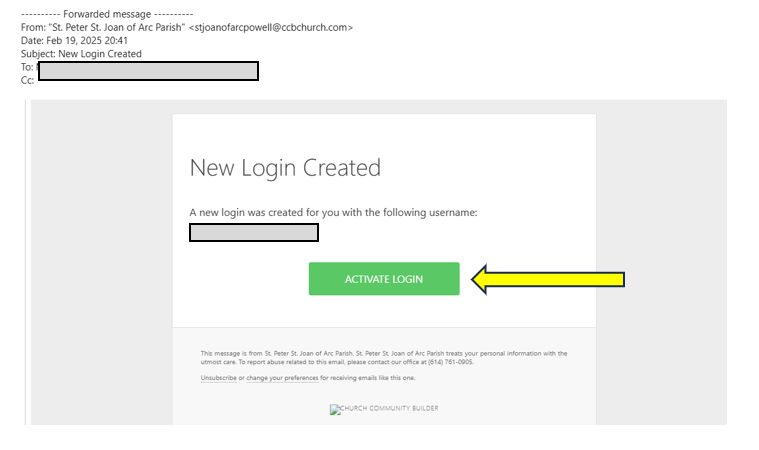
You should receive a login activation email within 1-2 days from [email protected] with the subject “New Login Created”. Click the green “Activate Login” button in the email to set up your password. Check your spam if you don’t see the email.
If you already have a login, but have forgotten your password, you’ll receive a password reset email.
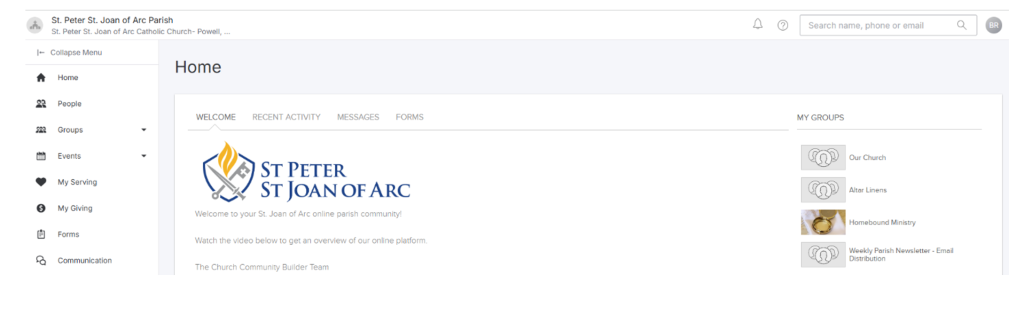
After signing in, the ParishStaq home page appears. This means you’ve successfully logged in.
Don’t forget to review the ParishStaq Navigation Guide.
Please help our upcoming parish census efforts and update these fields in your ParishStaq profile:
Contact [email protected] to update your sacramental information, marital status, or to add or remove a family member.
Already have a login?
Go to the login page and fill out your ParishStaq username and password, then click “Login”.
Bookmark this link: Login page
Need additional help?
If you have any trouble signing up, please contact [email protected]